Creating a Personal Video Archive: Best Practices for Organization
Building a comprehensive personal video archive requires thoughtful planning, systematic organization, and sustainable maintenance practices. Whether preserving family memories, professional content, or educational materials downloaded from platforms like FetchMP4.com, effective archival systems ensure long term accessibility and meaningful organization of your digital video collection.
Foundation Principles of Video Archiving
Purpose Driven Organization
Begin by defining the primary purposes of your video archive, whether for personal memory preservation, professional portfolio development, or educational resource management. Clear objectives guide organizational decisions and help establish appropriate systems for different content types.
Scalability Planning
Design archival systems that can grow with your collection over time. Consider how current organizational structures will accommodate future content additions and evolving storage needs without requiring complete reorganization.
Accessibility Balance
Strike appropriate balance between comprehensive organization and practical accessibility. Overly complex systems can hinder daily use, while oversimplified structures may not support effective content retrieval as collections grow.
Hierarchical Folder Structures
Top Level Categories
Establish broad categories that reflect your primary content types and usage patterns. Common approaches include organization by date, content type, source platform, or personal significance level.
For content downloaded from FetchMP4.com, consider separating by original platform (YouTube, Instagram, Facebook) or by content purpose (entertainment, education, personal backup) to maintain logical groupings.
Secondary Organization Levels
Within major categories, create subcategories that provide more specific organization without becoming overwhelming. This might include yearly subdivisions, project categories, or thematic groupings based on content subject matter.
Consistent Naming Conventions
Develop standardized naming patterns for folders and files that include relevant information like dates, sources, and descriptive keywords. Consistent naming enables efficient searching and maintains organization as archives expand.
File Naming Strategies
Descriptive Elements
Include key information in file names such as creation dates, content descriptions, source platforms, and quality indicators. This metadata embedded in filenames supports organization even when detailed cataloging systems are not immediately available.
Chronological Indicators
Use standardized date formats (YYYY MM DD) at the beginning of file names to enable chronological sorting while maintaining readability across different operating systems and software applications.
Search Optimization
Include searchable keywords in file names that reflect content themes, people involved, locations, or events covered. This supports both manual browsing and automated search functions.
Metadata Management
Essential Information Capture
Document important details about each video including original source, download date, content description, and any relevant context that might not be apparent from the video itself.
Tagging Systems
Implement tagging systems that allow multiple categorization approaches for the same content. Tags might include themes, people, locations, quality levels, or intended uses that cross traditional folder boundaries.
Documentation Methods
Choose documentation approaches that balance comprehensiveness with maintenance efficiency. This might include spreadsheet catalogs, database systems, or specialized media management software depending on collection size and complexity.
Storage Architecture
Primary Storage Solutions
Select primary storage systems that provide appropriate capacity, performance, and reliability for your video archive needs. Consider factors like file sizes, access frequency, and budget constraints when choosing between local and cloud storage options.
Backup and Redundancy
Implement multiple backup layers to protect against data loss, including local backups, cloud storage, and potentially physical media for most critical content. The 3 2 1 backup rule (3 copies, 2 different media types, 1 offsite) provides excellent protection.
Archive vs Active Storage
Distinguish between frequently accessed content and archival material that is preserved for long term storage but rarely viewed. This enables cost effective storage strategies that balance accessibility with economy.
Quality and Format Considerations
Resolution Standards
Establish quality standards for different types of content based on their importance and intended uses. Family memories might warrant higher quality preservation than casual entertainment content downloaded for temporary viewing.
Format Standardization
Choose file formats that balance quality, compatibility, and storage efficiency. Consider long term format viability to ensure archived content remains accessible as technology evolves.
Compression Strategies
Develop consistent approaches to file compression that preserve necessary quality while managing storage costs. Document compression settings to ensure consistency across your archive.
Content Categorization Systems
Personal vs Professional
Separate personal memories from professional content to enable appropriate security settings, sharing permissions, and organizational approaches that match different usage contexts.
Source Platform Organization
Consider organizing content by original platform when using services like FetchMP4.com to download from multiple sources. This maintains connection to original context while supporting platform specific management needs.
Thematic Classification
Group content by themes, subjects, or projects that reflect how you naturally think about and use your video collection. This intuitive organization supports efficient retrieval and meaningful browsing.
Automation and Tools
Automated Organization
Explore tools that can automatically sort, rename, or categorize video files based on metadata, creation dates, or content analysis. Automation reduces manual maintenance while ensuring consistent organization.
Duplicate Detection
Implement systems to identify and manage duplicate files that might accumulate through multiple downloads or backup processes. This prevents storage waste and maintains archive clarity.
Bulk Operations
Use tools that support batch processing for tasks like file renaming, format conversion, or metadata updating. Bulk operations make large archive management more efficient and consistent.
Access and Retrieval Systems
Search Capabilities
Implement search systems that can locate content based on file names, metadata, or even content analysis. Effective search reduces the need for perfect initial organization and supports dynamic content discovery.
Preview and Thumbnails
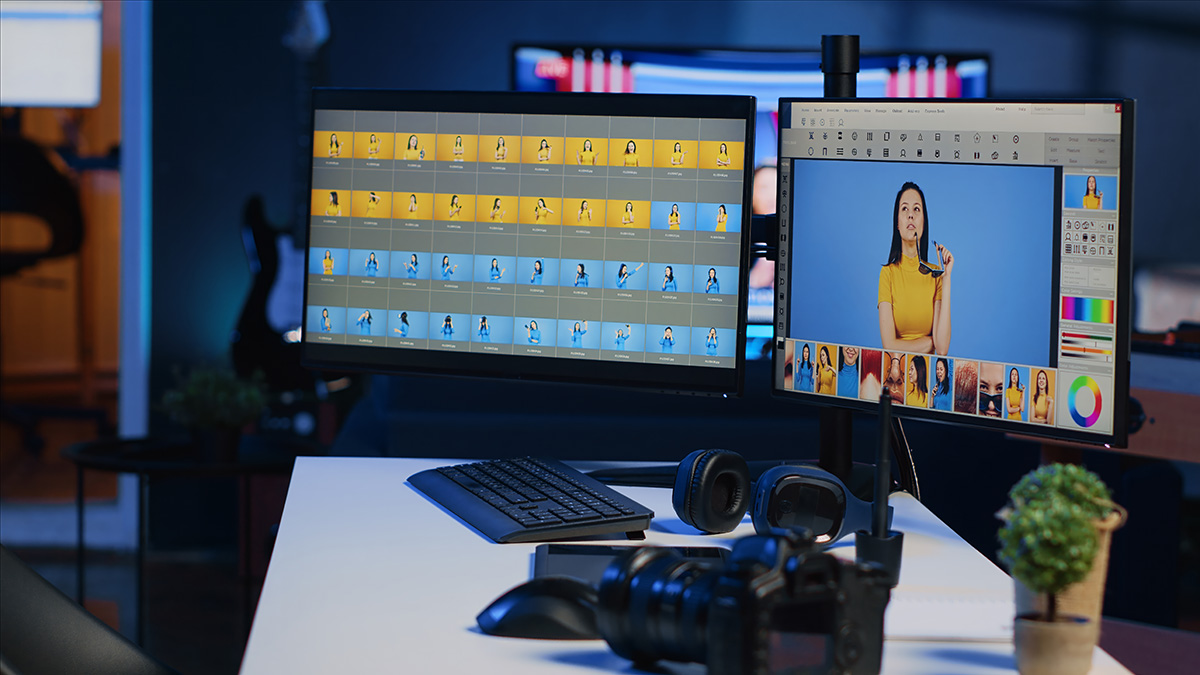
Generate thumbnail images or preview clips that enable quick content identification without full file loading. Visual previews significantly speed up content browsing and selection processes.
Cross Reference Systems
Create reference systems that connect related content across different organizational categories. This might include playlists, collections, or linking systems that group thematically related videos regardless of their storage locations.
Maintenance Routines
Regular Archive Reviews
Schedule periodic reviews of your archive to identify organizational issues, update metadata, remove outdated content, and ensure storage systems remain functional and accessible.
System Updates
Stay current with software updates, format migrations, and storage technology improvements that might enhance your archive's longevity and accessibility.
Growth Management
Monitor archive growth patterns and storage usage to anticipate future needs and make proactive decisions about expansion, compression, or content curation.
Security and Privacy
Access Controls
Implement appropriate security measures for different content types, including encryption for sensitive personal content and secure sharing options for professional materials.
Privacy Protection
Consider privacy implications of archived content, particularly for family videos or personal memories that might include other people who have not consented to long term storage or potential sharing.
Legal Compliance
Ensure that your archival practices comply with relevant laws regarding content ownership, privacy rights, and data protection, particularly for content downloaded from various online platforms.
Legacy Planning
Future Accessibility
Plan for how your video archive might be accessed and managed by others in the future. This includes documentation of organizational systems, storage locations, and access procedures.
Format Longevity
Choose archival formats and storage methods that are likely to remain accessible as technology evolves. Consider periodic migration to newer formats to ensure continued accessibility.
Inheritance Considerations
For family archives or professional portfolios, consider how archived content should be transferred to heirs or successors, including legal documentation and technical instructions.
Specialized Archive Types
Family History Archives
Family video archives benefit from genealogy inspired organization that connects content to family members, events, and relationships while preserving important context for future generations.
Professional Portfolios
Professional content archives should support career development, client presentations, and business continuity through organized access to work samples and project documentation.
Educational Collections
Educational video archives require organization that supports learning objectives, curriculum alignment, and easy access for instructional use across different educational contexts.
Technology Integration
Modern video archive management benefits from integration with media management software, cloud synchronization services, and automated backup systems that reduce manual maintenance while ensuring comprehensive protection of your digital video investments.
Creating effective personal video archives represents an investment in preserving digital memories and valuable content for long term access and enjoyment. By implementing systematic organization practices and choosing appropriate tools like FetchMP4.com for content acquisition, you can build archives that serve both immediate needs and future preservation goals while remaining manageable and accessible over time.